Timeline
What’s when — without the noise
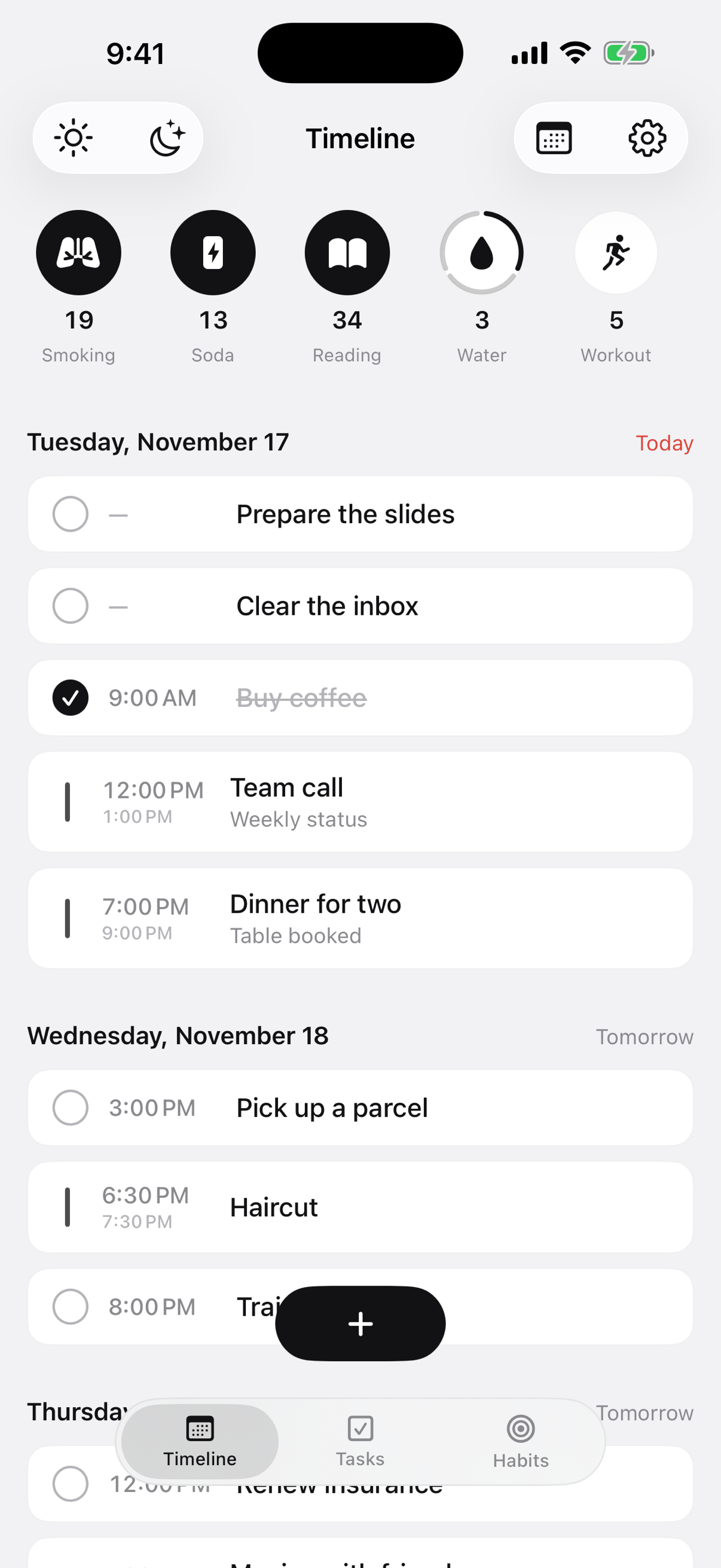
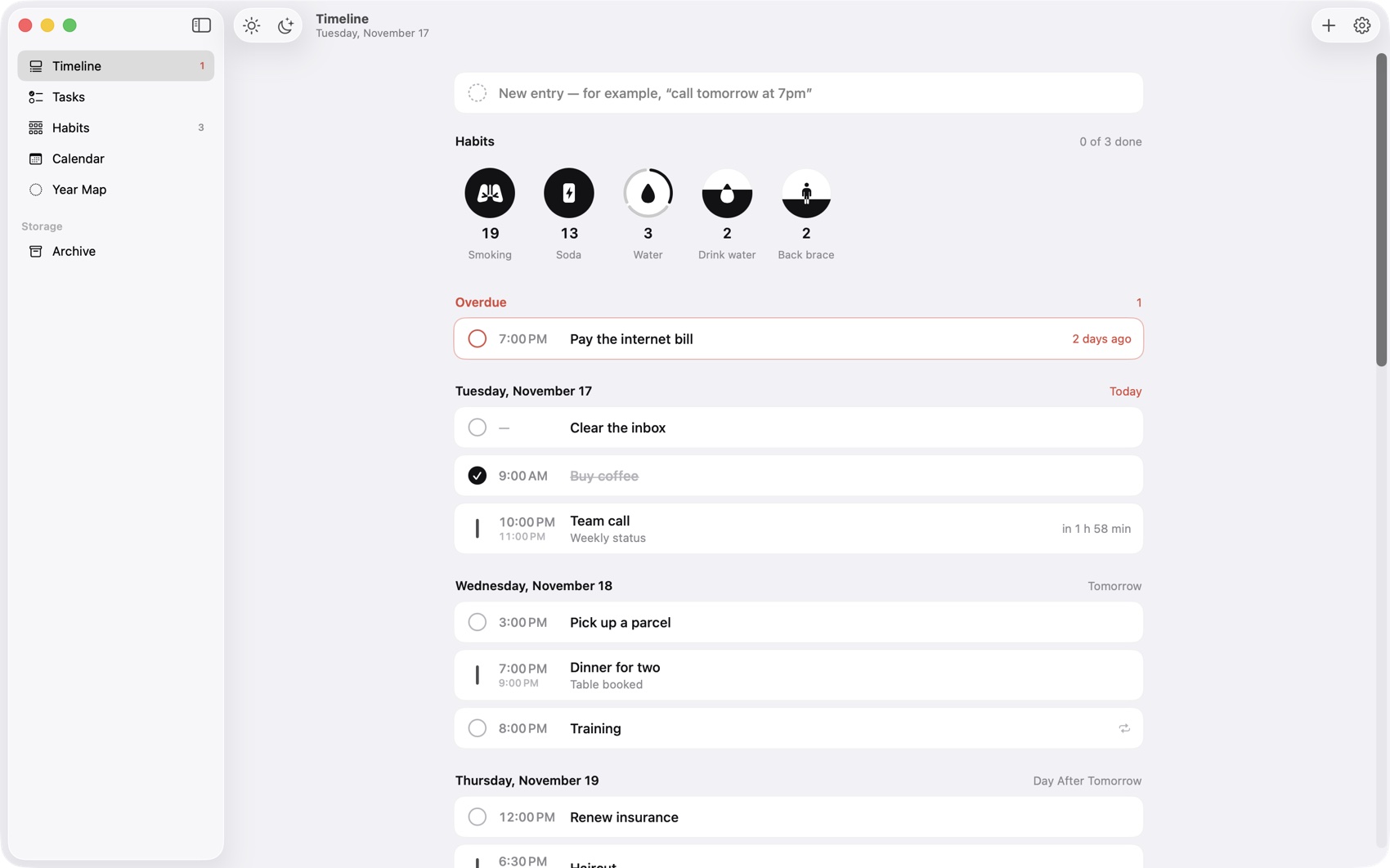
Habits on top, overdue items below them, then the days in order. Someday holds tasks without a date: they never go overdue and stay out of the way.
 Tally
On the App Store · free
Tasks, events and habits in one timeline. You can’t mark a habit after the fact, so “12 days in a row” means exactly that. No accounts, no developer server, no ads: your data stays with you and, if you turn on sync, in your own iCloud.
Download on the App Store See what it does
Requires iOS 18 or later. There’s also a Mac version. Free, no ads, no subscriptions.
A few screens that hold everything else together. A task is a circle, an event is a bar with a duration, and red appears only where you really need to look.
Timeline
Habits on top, overdue items below them, then the days in order. Someday holds tasks without a date: they never go overdue and stay out of the way.
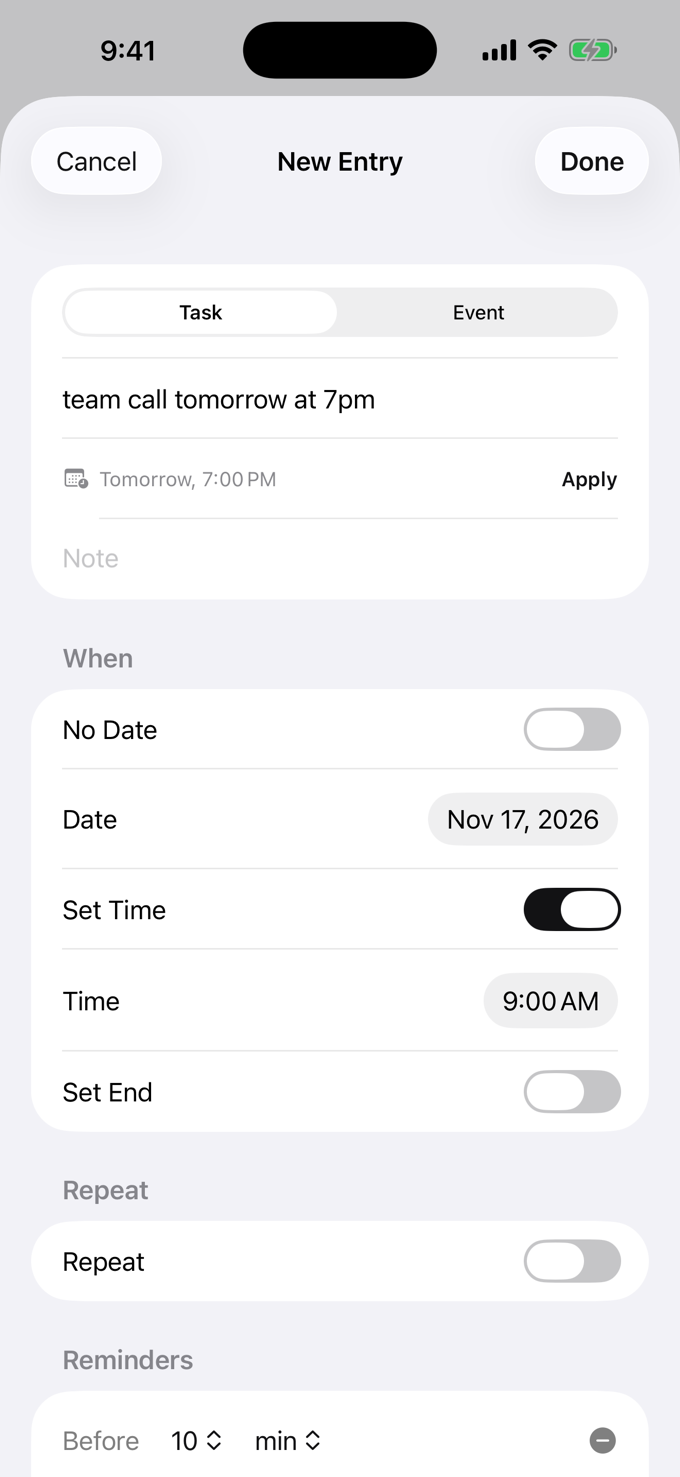
Adding
“Call tomorrow at 7pm”, “tea in 20 minutes”, “dinner on Friday at 8pm”. Tally understands the date and time and suggests them instead of applying them silently. Without opening the app — from Spotlight and the Action button.
Habits
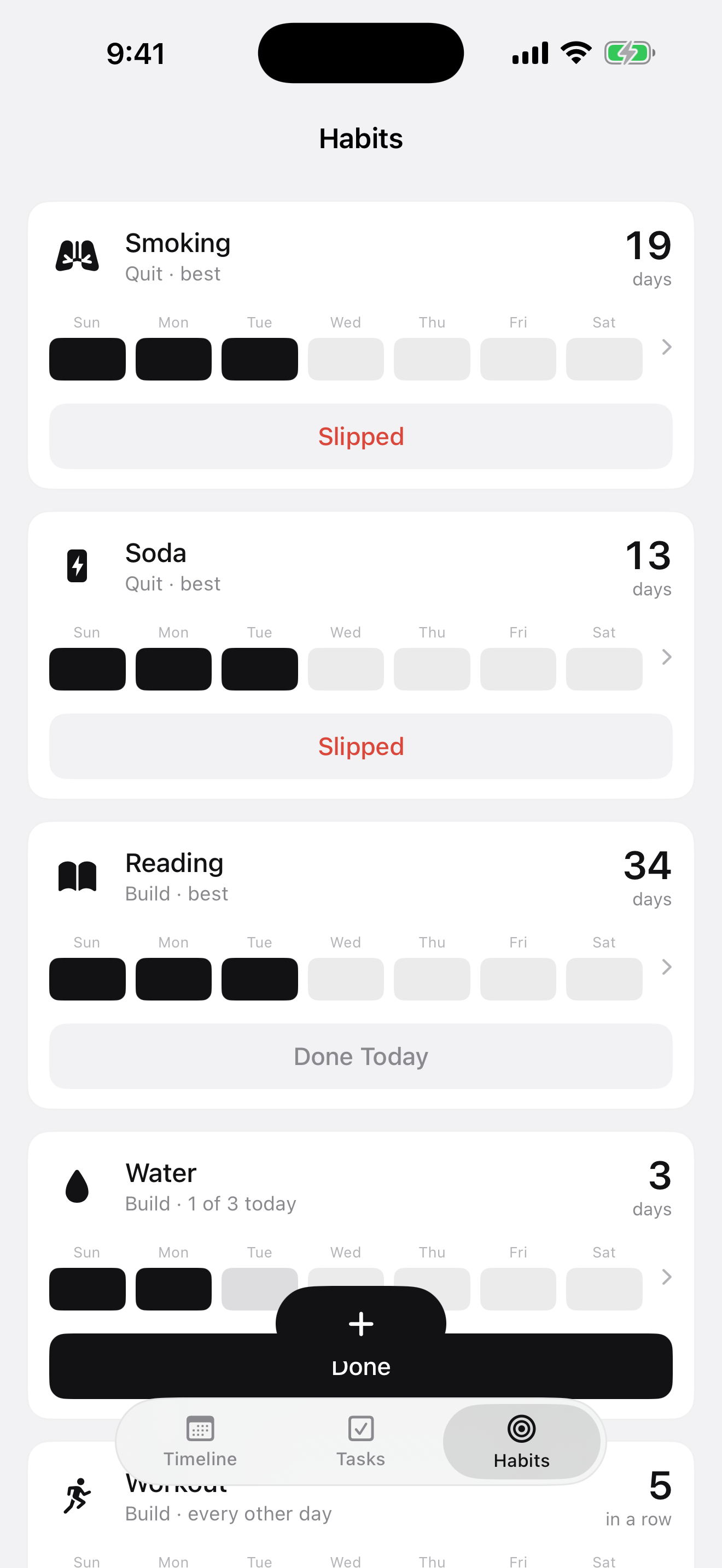
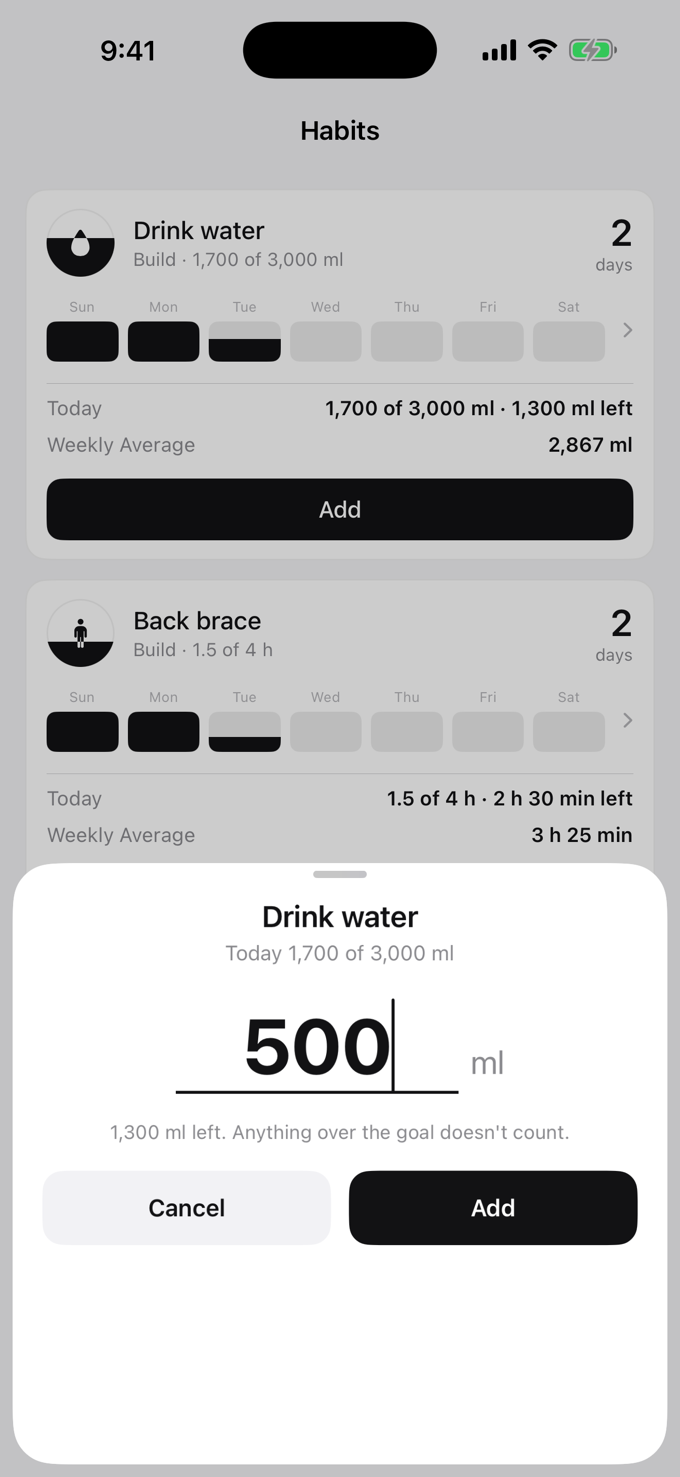
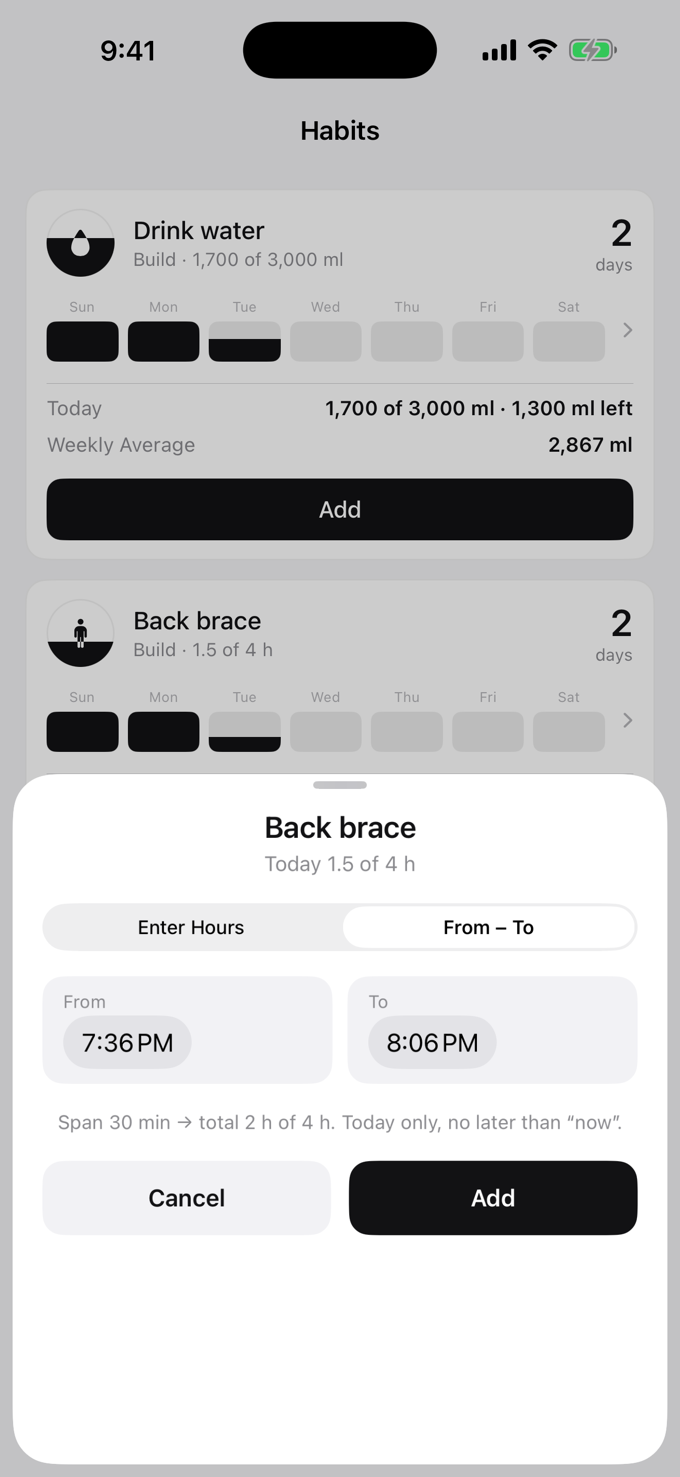
Two kinds: Build — you mark it yourself, and Quit — it counts until you slip. Schedule: every day, certain weekdays, every N days or in a cycle. Vitamins and water can be marked several times a day — the circle fills in parts.
Lock Screen
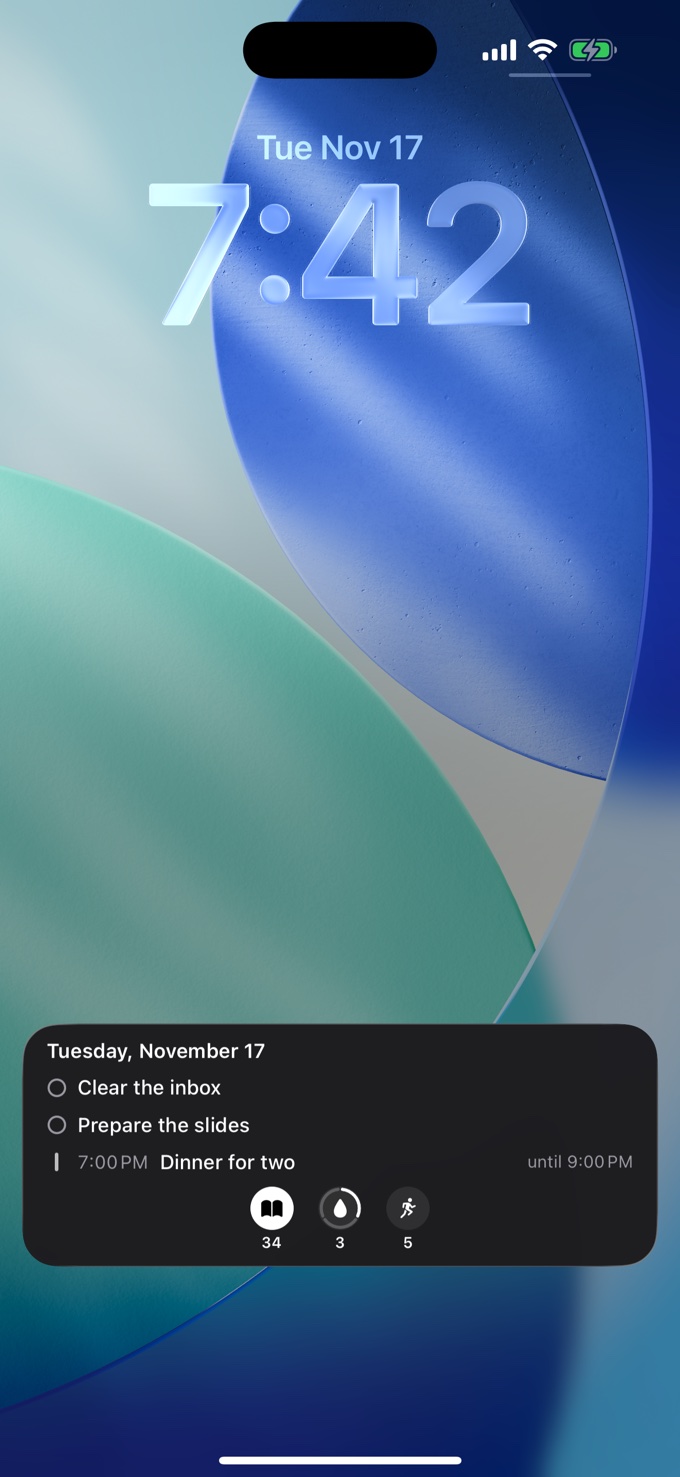
Your next three tasks and habits on the Lock Screen and in the Dynamic Island. To mark one, iPhone asks for Face ID — that’s how the system works. Plus widgets for the Home Screen.
Small versions of how the app works. Nothing is saved or sent anywhere.
Phrase → entry
Roughly how the app reads a phrase: it suggests the date instead of setting it silently. The app understands Russian phrases too.
Honest streak
Tap today to mark it. Past days are closed.
To unmark today, press and hold — just like in the app.
Slip and pattern
A Quit habit: smoking. There are already four slips in the history.
Tap “Slipped” — the app will ask why.
Not just “done or not”, but how much: 3 liters of water, 4 hours, 30 pages. Enter a number, the icon fills from the bottom up, and the day counts once the whole goal is reached.
Drink water
0 of 3,000 ml
3,000 ml left
Try it yourself
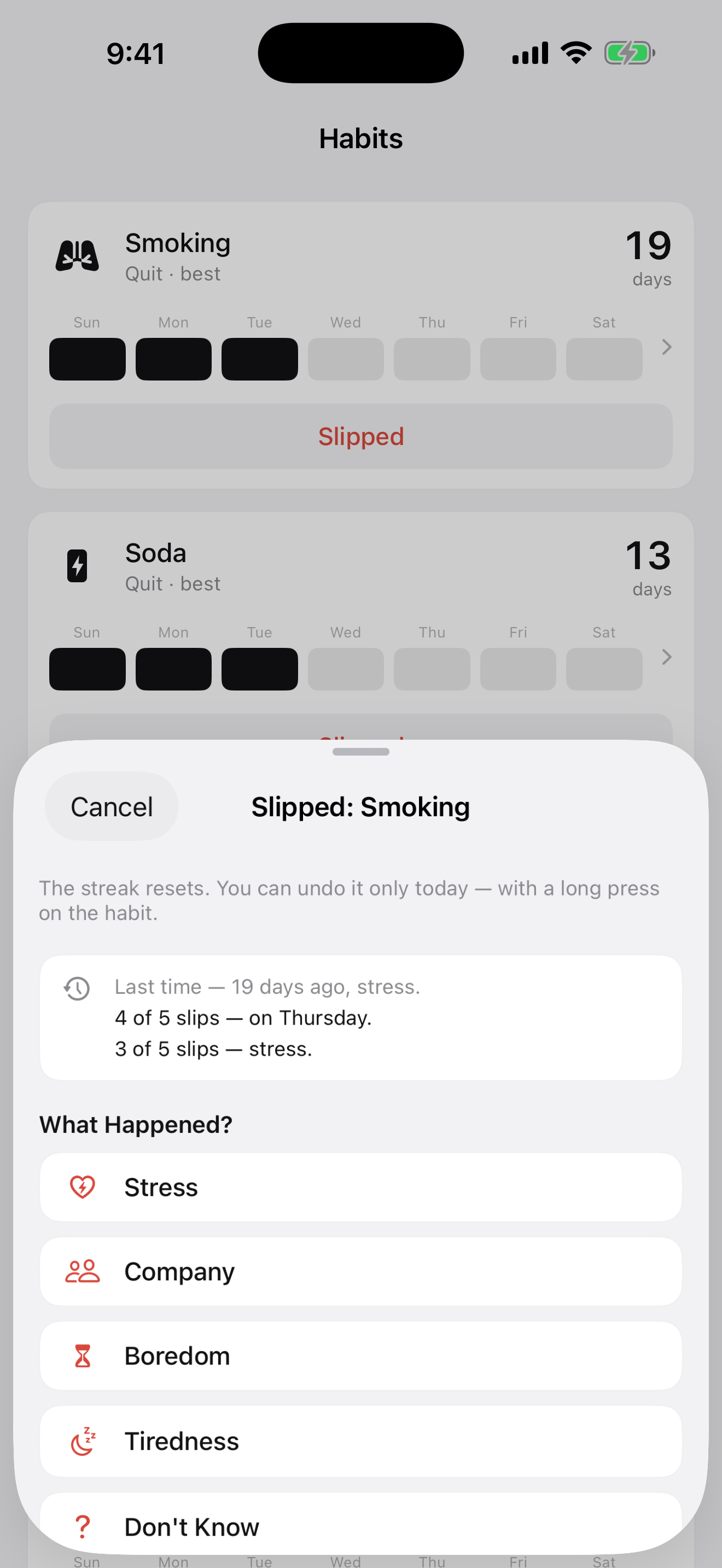
Pick one of five reasons, and at that very moment the app shows the pattern: “3 of 5 slips — stress”, “4 of 5 — on Sunday”.
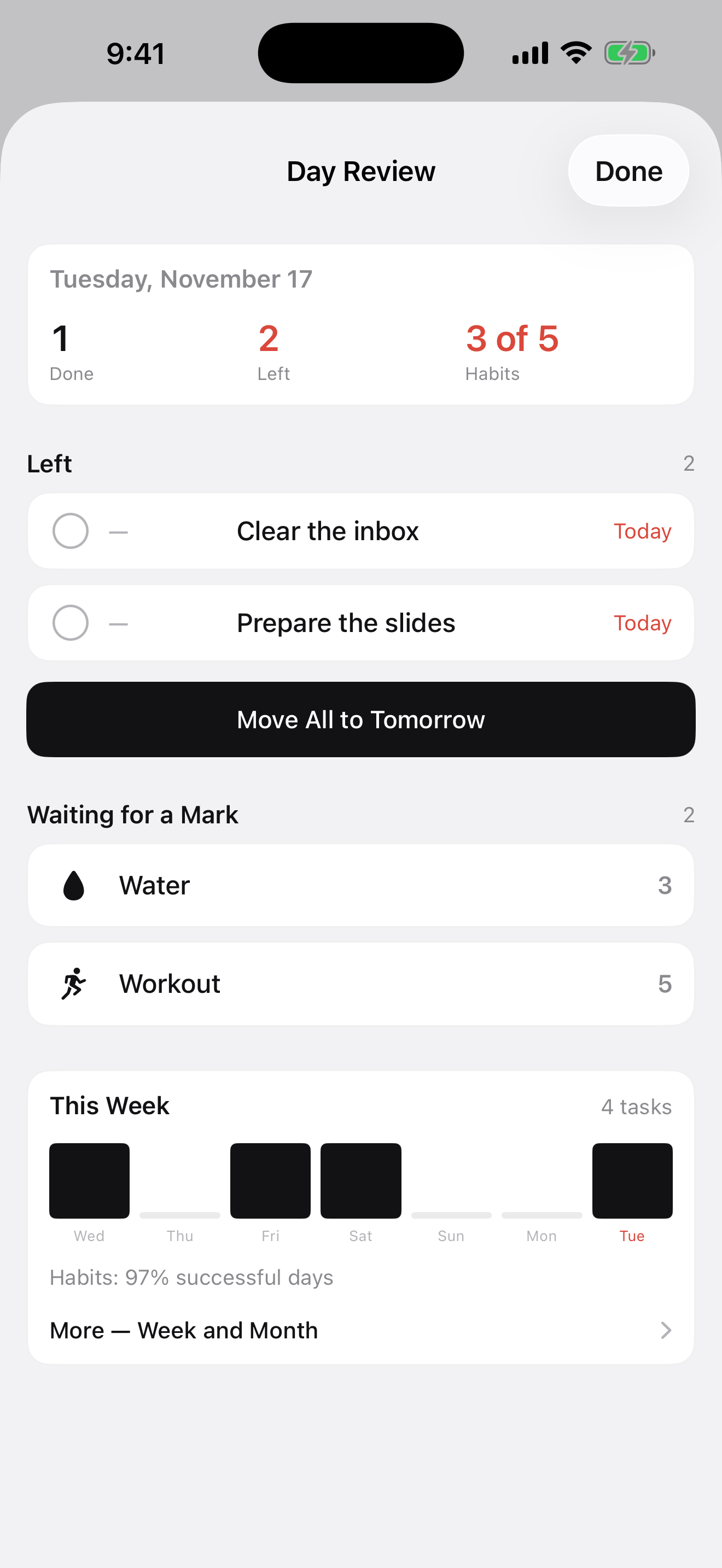
What’s done and what’s left. Unfinished tasks move in one go; a task postponed three times suggests going to Someday. “More” opens a summary of the week or the month.
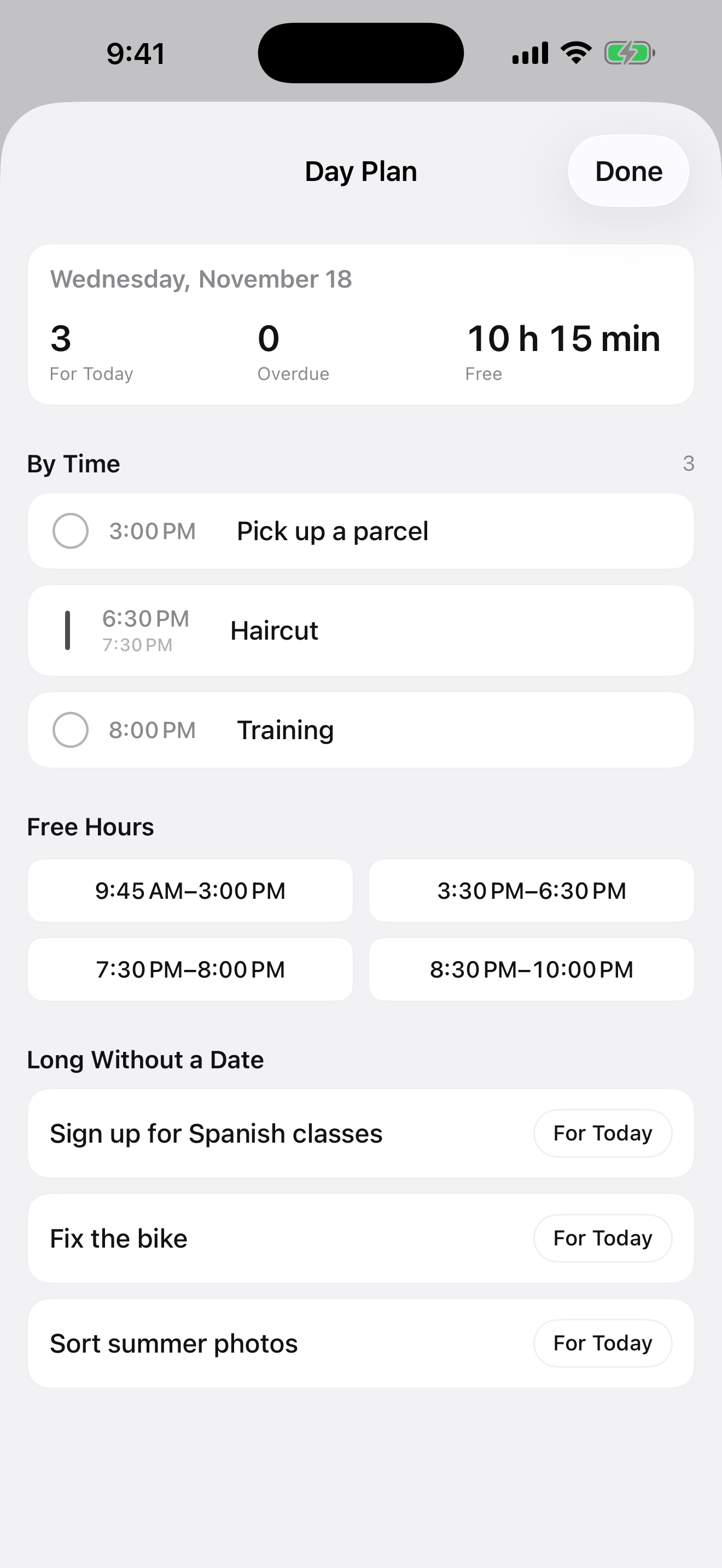
What’s already on today, what’s carried over from past days, and where the free hours are between things. A task without a time goes into the nearest free slot with one tap.
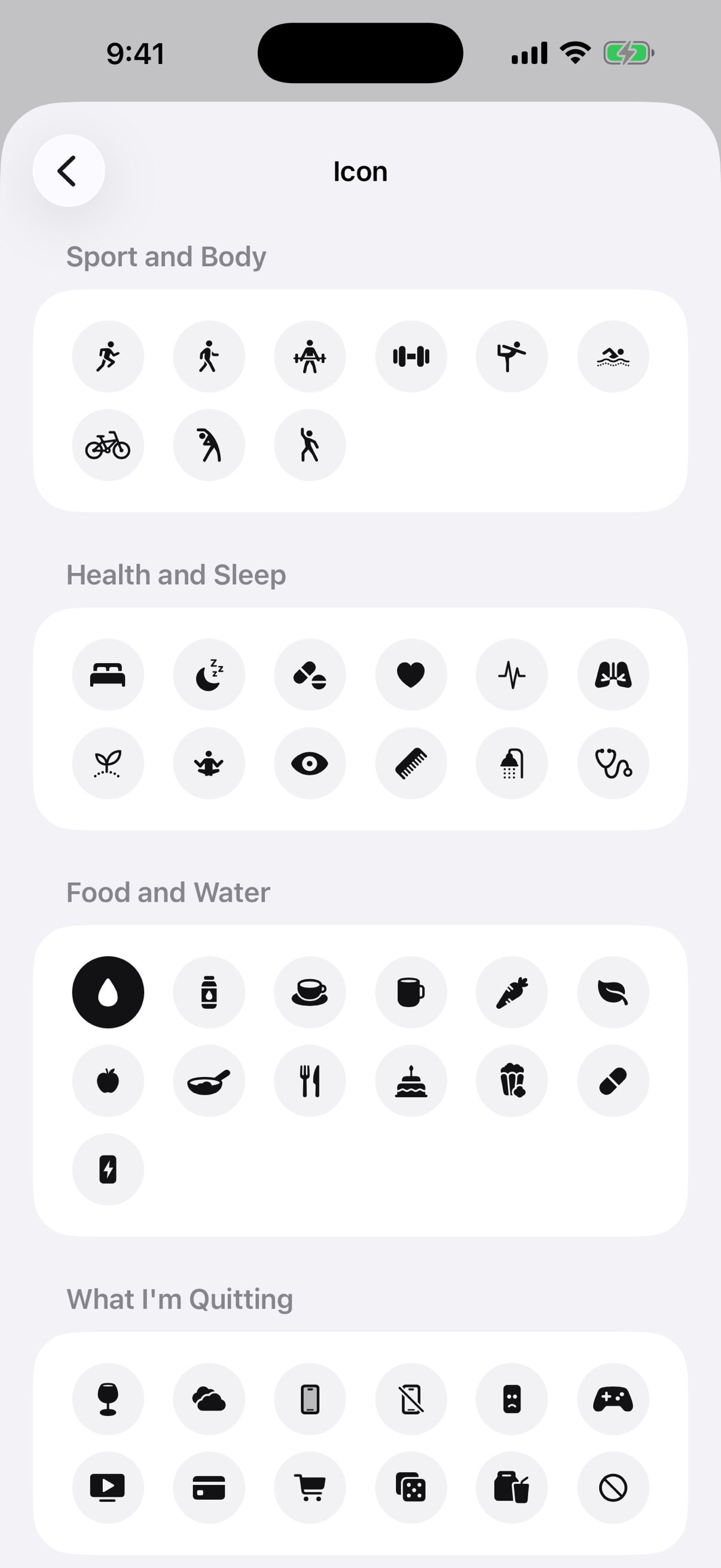
Sixty-eight icons: sport, health, food, quitting, hobbies, home. Three are drawn specially — an energy drink can, a broom and a sad phone aren’t in the system set.
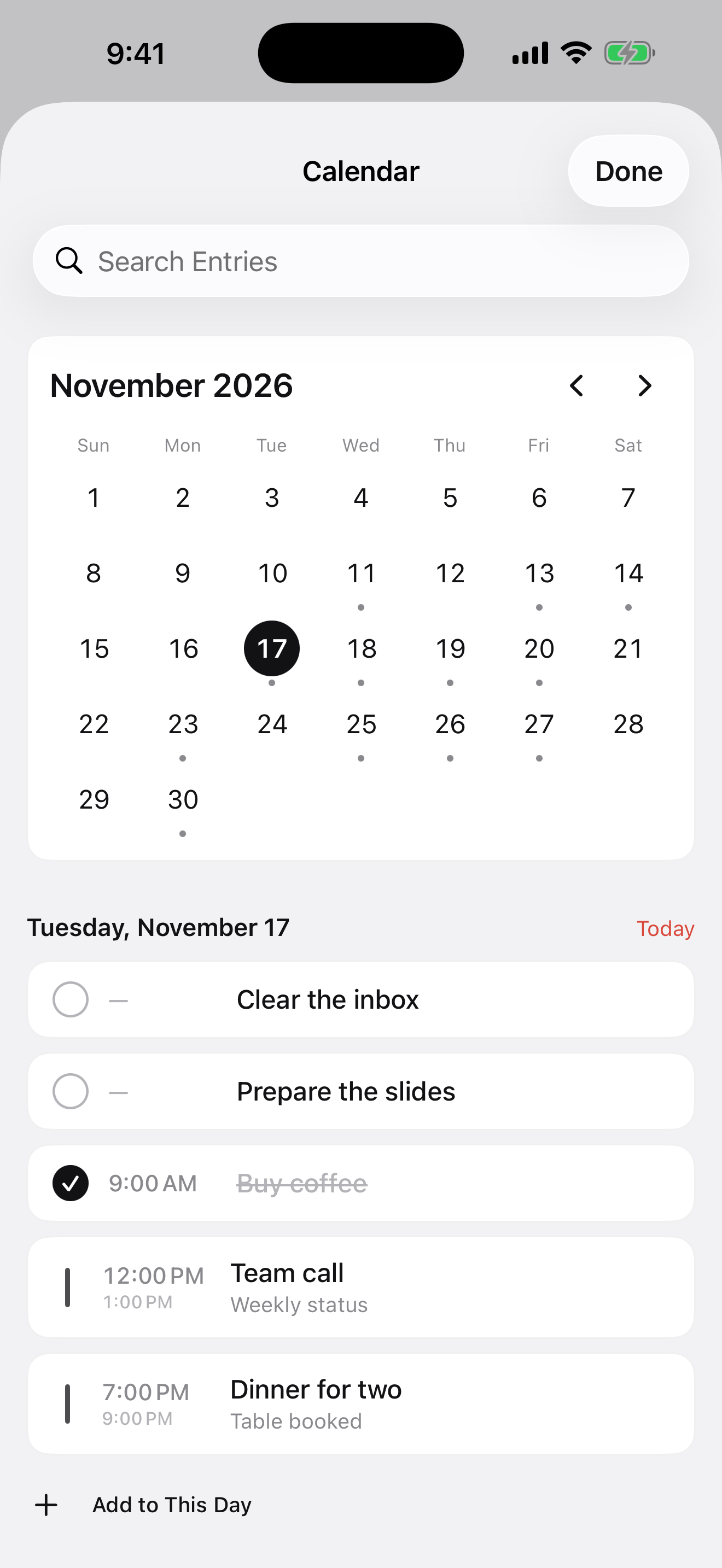
The whole month with dots on busy days, and search by title and note — including what has already gone to the archive. The week starts on Sunday or Monday, as in your region.
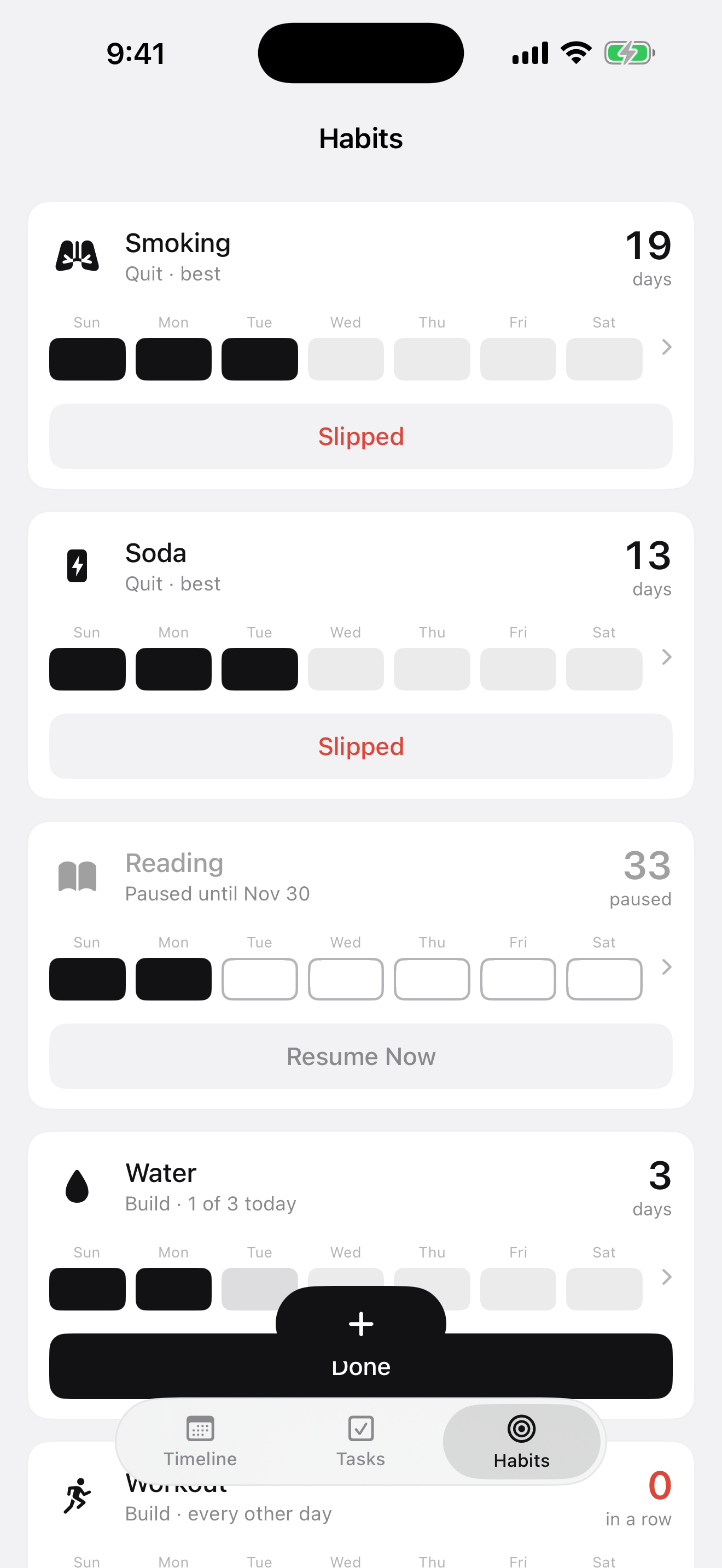
Vacation or illness — pause a habit in advance. The streak is kept, paused days count neither for nor against you, and every pause shows in the history. Not after the fact, just like marks.
Reviews from the Russian App Store and private messages, translated from Russian without changing the meaning.
★★★★★
I finally found a planner I actually want to use. It’s easy to mark habits and keep track of tasks. Everything’s in one place, and I don’t have to open a bunch of other apps. It really clears my head. Recommend!
★★★★★
Finally a planner with normal, human visuals. Tally looks super stylish and minimal, the animations and the interface make me happy every day. Definitely recommend!
★★★★★
A calm interface — you get so tired of neon apps. It’s clear how to use it, there are hints. Tons of habit icons for every taste. I also like the idea that you can’t mark a habit the next day. It’s annoying, because it turns out you have to do everything on time. Very motivating, actually. <…> The first app of this kind that didn’t end up in the trash after a few days.
★★★★★
I downloaded it for workouts and to build a couple of habits, and ended up moving all my tasks from the built-in Reminders app — now I write tasks only there. In short, a great planner — get it if you forget things or love planning.
The app is really cool, nothing extra, everything’s clear right away. Of all the planners I’ve used, this one is the most convenient.
I really like tracking my university schedule in it: I added all my classes, and it’s handy to know when and at what time they are. I only use one habit so far — it’s fun. So I like everything, haven’t found any downsides yet.
The same planner on a big screen, as a separate app. With iCloud sync, your iPhone and Mac see the same entries, habits and marks.
Download on the Mac App StoreRequires macOS 15 or later. Free.
All four came from people who use Tally. Try them right here: nothing is saved or sent anywhere.
Work schedule
Work days in the calendar, today’s shift in a widget. Turn it on in Settings → Features.
Change the goal
Tap the circle to mark it. The new goal applies from today.
Thoughts
What you write doesn’t change — it can only be deleted. Turn it on in Settings → Features.
Habits in a cycle
Workouts 3/1, watering every three days, shifts — days off don’t count as misses.
Tally is built for a couple of minutes a day — morning and evening.
Day Plan shows what’s on today and where the free hours are. After that, the widget is enough: your next tasks and habits on the Home Screen.
“Call tomorrow at 7pm” — the date and time fill in. You don’t even need to open the app: “Add to Tally” works from Spotlight and the Action button.
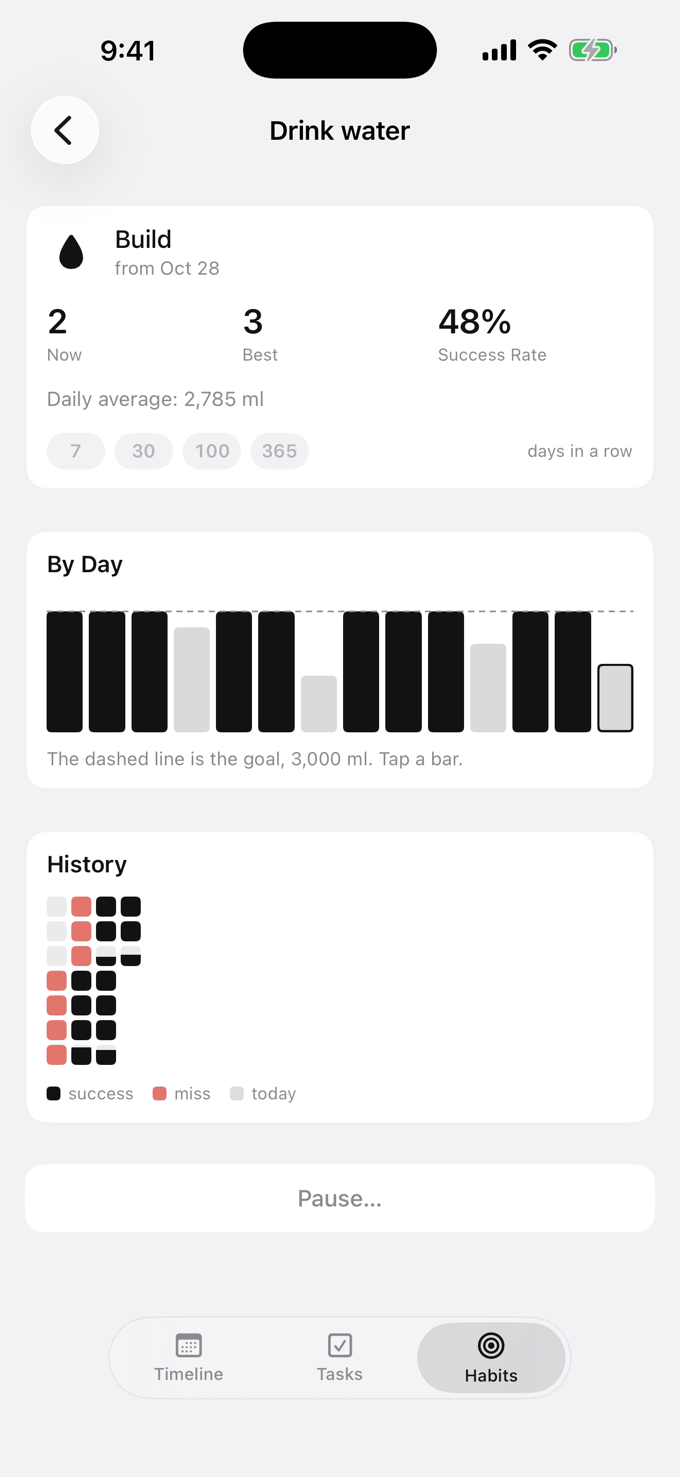
One tap on the circle. A mark can only be removed with a long press and only for today — you can’t rewrite history.
Day Review shows what’s left: move it to tomorrow, send it to Someday or delete it — and the day is closed.
A counter you can fill in later means nothing. That’s why yesterday is closed for good.
Sync goes through your own iCloud and is turned on only if you want it: I have no server your data could leak from, and no access to your iCloud either.
No ads, no subscriptions, no third-party libraries. The app itself doesn’t send anything anywhere.
One miss resets the counter. But you can trust the number. For vacations and illness there’s a pause — announced in advance, not after the fact.
Yes. No ads, no subscriptions, no paid features.
English and Russian. Tally follows your iPhone’s language; to pick a language just for Tally, open Settings → Tally → Language (the “Language” row in Tally’s settings takes you there). On Mac — Tally Settings → General. Phrases like “call tomorrow at 7pm” are understood in both languages, and the week starts on Sunday or Monday, as in your region.
On your device and, if you turn on sync, in your own iCloud too: a new phone gets everything by itself. Tally has no server of its own, and I have no access to your iCloud. Without sync, deleting the app deletes the data. Either way, keep an export file as well (Settings → Data & Privacy → Export Data): iCloud keeps one current version, while a file is a snapshot you can import back.
The whole idea of Tally is that the “days in a row” number is true. If you could fill in yesterday, the counter would stop meaning anything. A mistaken mark for today can be removed.
An iPhone with iOS 18 or later. iPad isn’t supported yet.
For now Tally isn’t available in the European Union: distributing there requires publishing the developer’s address and phone number. I’m not ready for that yet; this may change.
Yes: Tally for Mac is on the Mac App Store, and sync through your iCloud is turned on in Settings on each device. If one device already has data, choose “take data from iCloud” when you turn it on — that way you won’t get duplicates.
It would be a separate app built from scratch, and at first it wouldn’t sync with iPhone: Tally syncs through iCloud. People ask often — leave your email; the number of requests will decide when I start, and I’ll write when there’s something to test.
Tally’s settings have “Write to the Developer”, or use the two-minute form. I read and answer everything myself.
This is what I’m thinking of doing. Feedback sets the order — tell me what matters more, or suggest your own. That has happened more than once: “more icons” was the most common request, and now there are sixty-eight; several marks a day came from a single comment about vitamins; habits by amount were asked for with water in mind.
Pick a task, start it — the countdown shows on the Lock Screen and in the Dynamic Island.
Streaks and what you got done — in one picture you can share.
The most common request. Leave your email — the number of requests will decide when I start.
Mark habits from your watch.
Log expenses in the same place as tasks. I’m considering it as a separate module you can turn off, if people ask.
I make Tally on my own and answer myself — in English or Russian.